How to Turn a Photo Into a Video With AI (3 Easy Ways)
Animate any photo with AI: a one-click effect template, a product template, or image to video with your own prompt. Step-by-step, real examples, photo tips and costs.
A still photo can become a short video in a few minutes. The AI keeps what is in the picture (a face, a pet, a product) and adds movement, a camera move and often sound.
There are three ways to do it on VecFrame, from no-effort to full control. Here is how each one works, with real outputs.
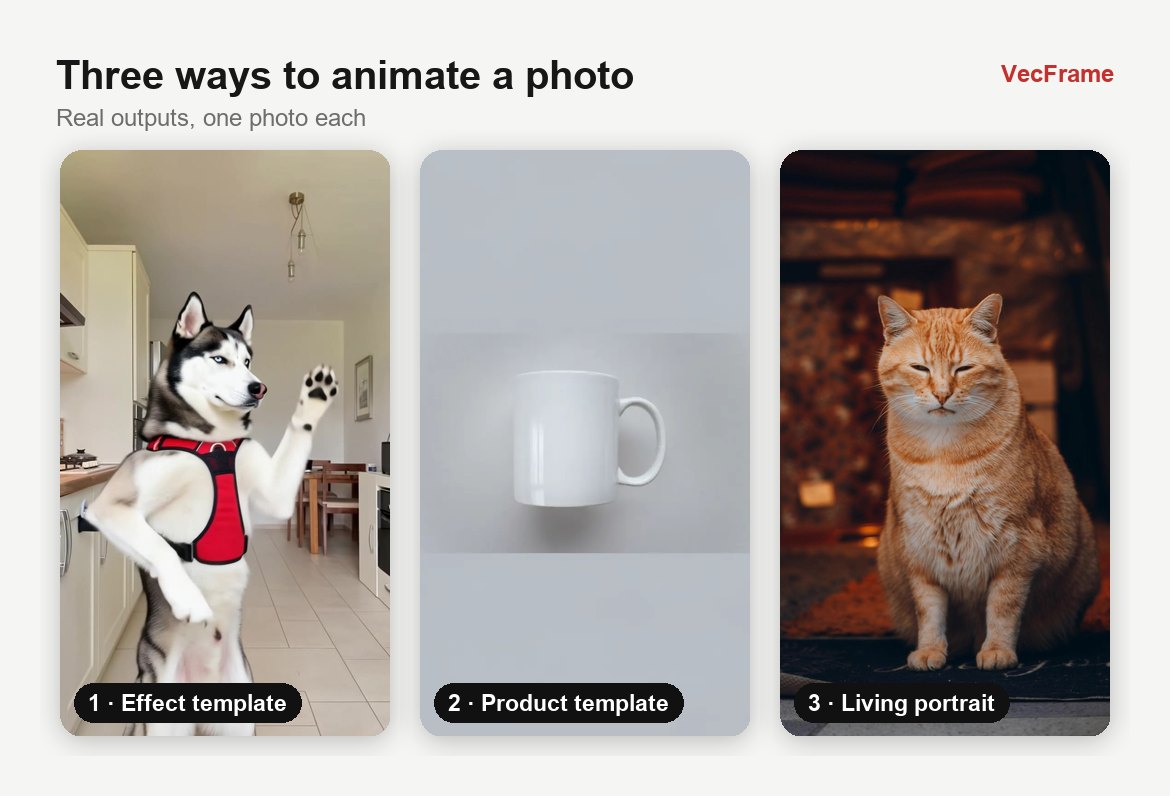
The quick comparison
| Way | You provide | Best for | Prompt? |
|---|---|---|---|
| Effect templates | One photo | Trends, dances, pets, people | No |
| Product & portrait templates | One photo | Shop ads, keepsake portraits | No |
| Image to video in the studio | Photo + a description | Your own idea, specific shots | Yes |
1. Effect templates: the one-click way
A template is a tested scene with the choreography, camera path and music already worked out. You add a photo and get the effect with your subject in it.
Popular ones:
- Bad Times Pet: your dog does the viral dance. (Guide)
- Tiny Desk: you sing lead in a cosy office concert. (Guide)
- Bby Wow: a party dance with a snack break, for people or pets. (Guide)
- Passenger Princess: the car-ride trend for couples, solo or pets. (Guide)
How to do it
- Pick a template from the gallery and open it.
- Upload your photo. Each template lists exactly what kind of photo it needs.
- Generate a free, watermarked preview (no sign-in needed), or confirm the credit price to create the original right away.
- Download it from My creations.
2. Product and portrait templates: calm, clean motion
Not every photo should dance. These templates add subtle motion instead:
- Product photos become a 5-second ad: a cinematic close-up, a soft light reveal or a Christmas scene. Each is 20 credits.
- Pet photos become a living portrait: a quiet shot where your pet blinks and breathes.
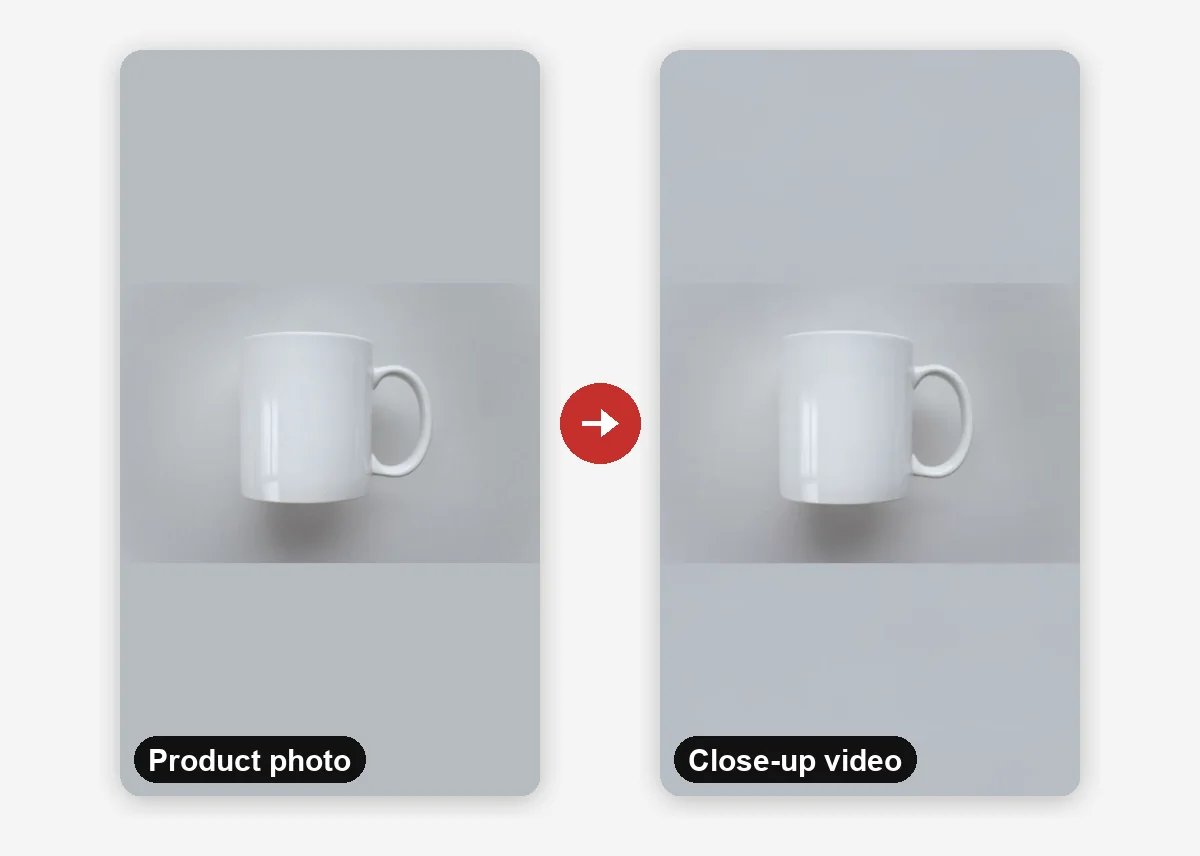
For products, see AI product videos from one photo. For a keepsake of a pet, see how to make a living pet portrait.
3. Image to video: your own idea
When no template matches what you have in mind, open the video studio and choose Image to Video. You upload the photo as the first frame and describe how it should move.
How to do it
- Choose Image to Video and upload your photo.
- Describe the motion, not the look. The photo already defines how things look.
- Pick a model, duration (5 or 10 seconds), resolution and aspect ratio.
- Check the credit price next to the Generate button, then generate.
Prompt examples
Slow dolly-in toward the mug, steam rising, soft window light moving across the table.
The woman turns her head toward the camera and smiles, hair moving in a light breeze, static camera.
The dog tilts its head, ears perk up, shallow depth of field, handheld camera.
Some models also take an end frame, so you can set where the shot finishes. The text to video vs image to video guide covers prompting in more depth.
Which photos animate best?
Whatever route you take, the photo matters most:
- Sharp and well lit. Blur and dark shadows turn into smeared motion.
- One clear subject, large in the frame, not cut off.
- Vertical (9:16) for social video. Match the shape of the video you want.
- No heavy filters or stickers.
- Use photos you have permission to use, especially of other people.
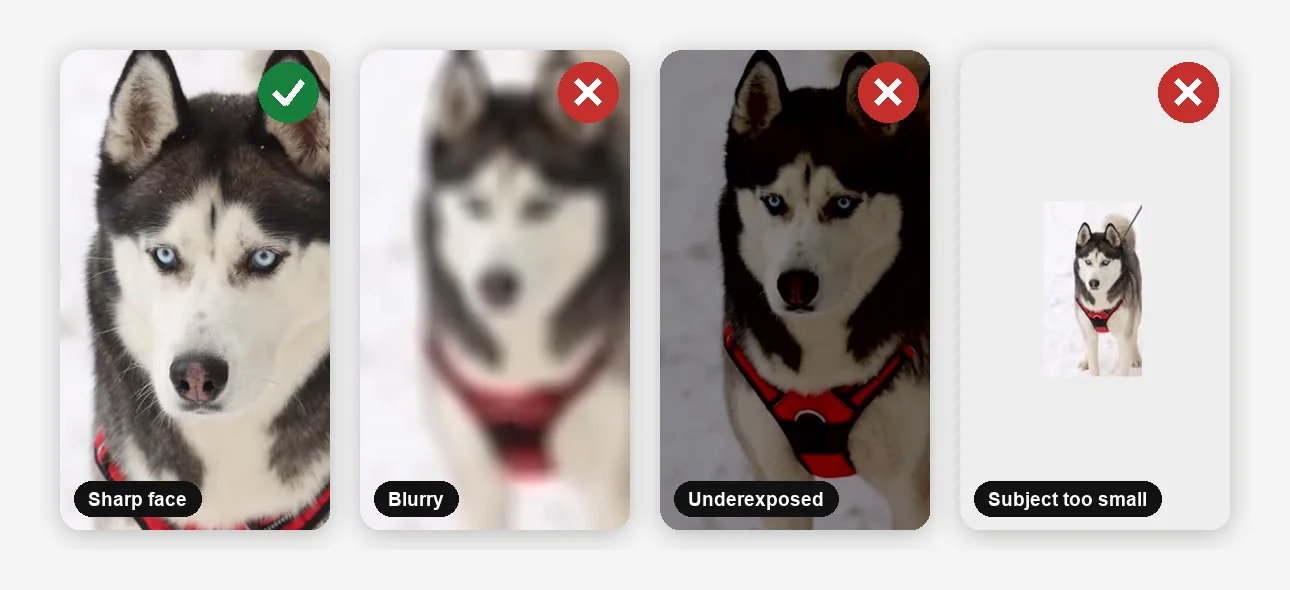
The full checklist, with examples, is in which photo works best for AI video.
What it costs
Templates have a fixed price that you see before you create, from 20 credits for a product or portrait video to 140 credits for a group dance. In the studio, the price depends on the model, duration and resolution, and it updates as you change them. Credits come back if a generation fails. Our AI video cost guide explains packs, previews and refunds.
FAQ
Can I turn a photo into a video for free?
On template pages you can generate a free preview with a watermark, without signing in. A small daily limit applies. Unlocking the original costs the credit price shown.
How long does it take?
Usually a few minutes, depending on the template or model. You can leave the page; the task keeps running and appears in My creations.
Can I animate an old family photo?
In the studio, yes: use image to video with a gentle prompt such as "slight smile, soft blink, static camera". Scan or photograph the print straight on, in good light. Only use photos you have the right to use.
What format is the video?
Templates deliver MP4, mostly 9:16 vertical. In the studio you choose 16:9, 9:16 or 1:1.