Living Pet Portrait: Turn a Favourite Pet Photo Into a Gentle Video
Bring a favourite pet photo to life with a soft blink and gentle breathing. A keepsake or memorial video from one picture, with photo tips for older and phone photos.
Some photos of our pets are more than photos. The one by the window, the one from their first day home, the last good picture before they got old.
The Living Pet Portrait template turns one of those photos into a short, quiet video: your pet stays in the pose you love and simply blinks and breathes. No dancing, no music video, just a moment that feels a little more alive.
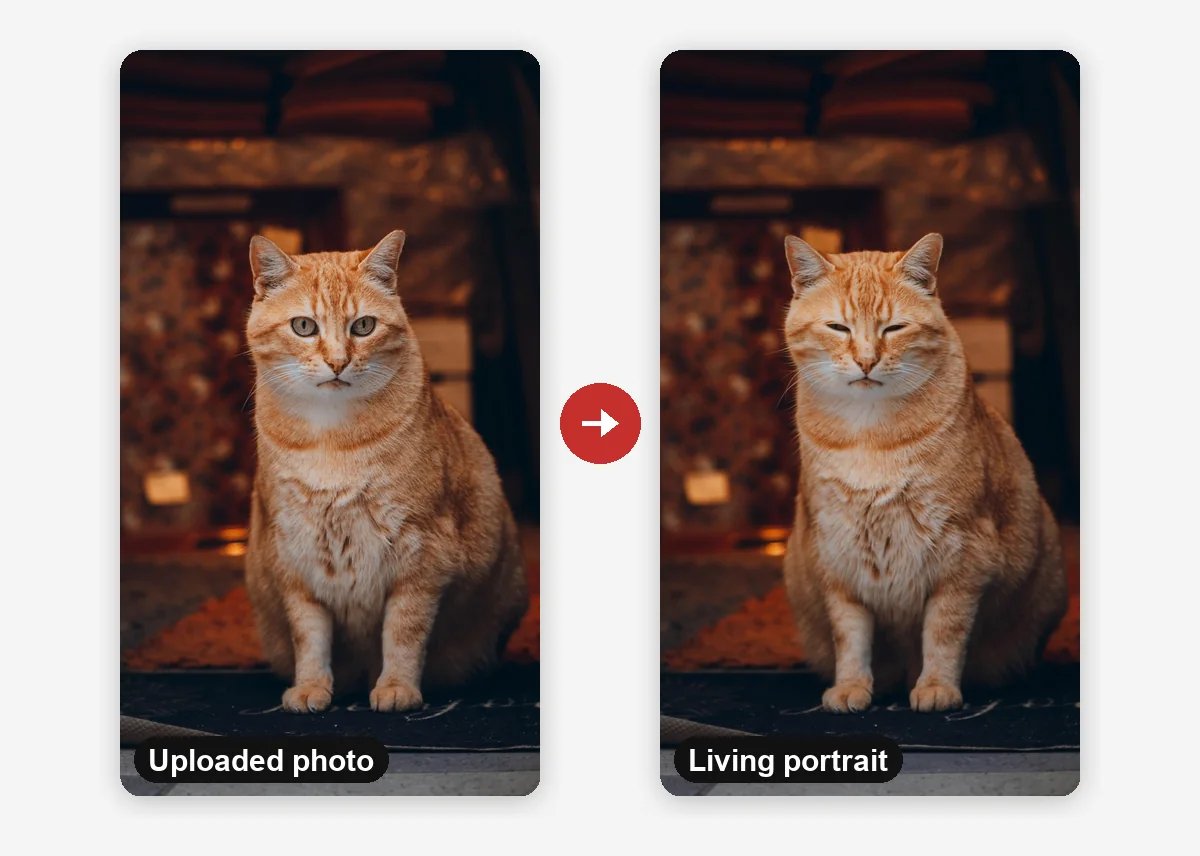
What it looks like
- Input: one photo of one pet
- Output: 5 seconds, 1080p, 9:16 vertical MP4, sound included
- Cost: 20 credits
- Prompt: none. The template keeps the motion subtle on purpose.
Because the motion is so small, the result stays close to your photo. That is what makes it work as a keepsake.
Ways people use it
- A memorial for a pet who has passed, to share with family or keep privately.
- A phone wallpaper or lock screen, on phones that support video wallpapers.
- A digital photo frame that plays short videos.
- A birthday or "gotcha day" post on social media.
- A gift for a friend: ask them for their favourite photo of their pet.
Choosing the photo
The photo matters more here than with any other template, because the video stays so close to it.
What works best
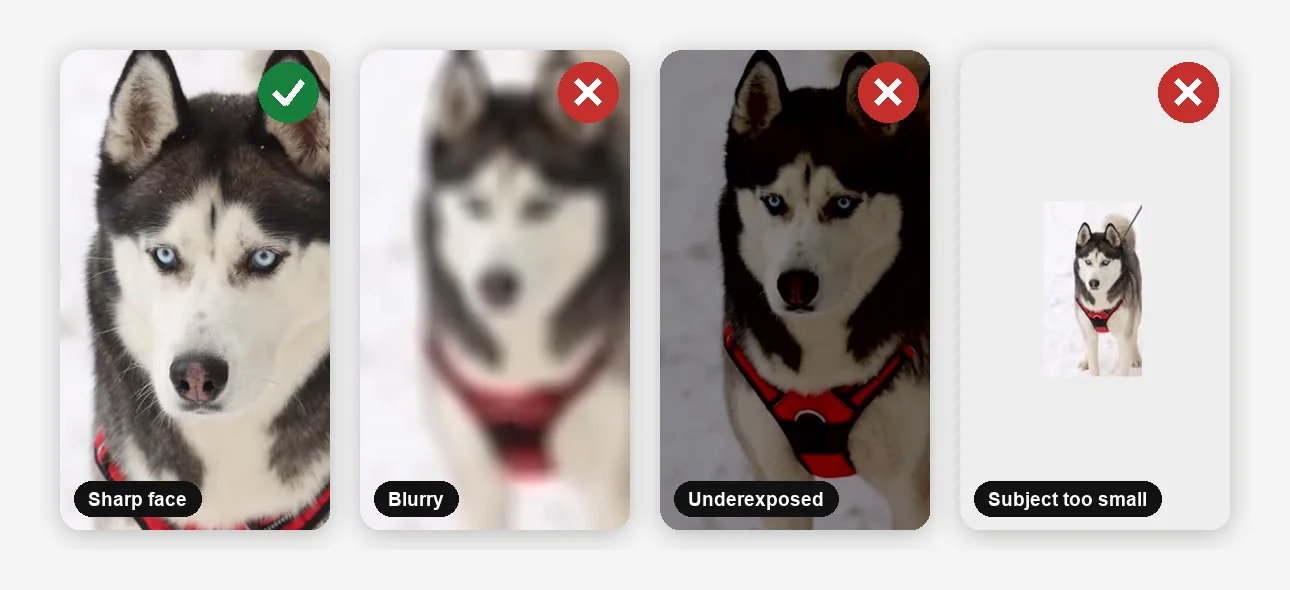
- One pet, face clearly visible, eyes open and in focus.
- No people in the frame. Crop out hands, laps and shoulders if you can.
- Even, soft light. Window light is ideal; harsh flash is not.
- Vertical 9:16, with a little space around your pet.
Avoid
- Blurry or very dark photos
- Two or more animals (pick the one you want, or crop)
- Heavy filters, stickers or text on the image
Working with older photos
Many of the photos that matter most are old, small or printed. Some tips:
- Use the original file, not a screenshot of a social post. Screenshots are smaller and often compressed.
- Printed photo? Lay it flat near a window, hold the phone directly above it so it isn't skewed, and avoid glare. Then crop.
- Cropping a landscape photo to vertical: keep your pet's head in the upper third and leave space above the ears.
- Low resolution is OK as long as the face is clear. A sharp small photo beats a big blurry one.
Step by step
- Open Living Pet Portrait and tap Use this template.
- Upload your photo.
- Generate a free preview (watermarked, no sign-in needed) to see how it looks.
- If you like it, unlock the original for 20 credits and download it from My creations.
The free preview matters here: if the first photo doesn't come out the way you hoped, try another before you spend anything.
Want something more playful?
If your pet is very much still around and full of energy, there are livelier options: the Bad Times dance, a Bby Wow party dance or a car ride. See all of them in 6 AI pet video ideas.
FAQ
Does it work for cats, dogs and other pets?
Cats and dogs work best. Other animals with a clearly visible face, such as rabbits, can work too. Try a free preview first.
Will my pet look different?
The template keeps the motion subtle so your pet stays recognisable, but details can vary slightly with each result. The free preview lets you check before you pay.
Can I include myself in the photo?
No. This template is for one pet and no people. For a video with you in it, try Passenger Princess.
How long is the video kept?
Unlocked videos stay in My creations long-term with no automatic expiry. Download a copy too, so you always have it.
What does it cost?
20 credits. The smallest pack on the pricing page is $2.99 for 40 credits, which never expire.