Which Photo Works Best for AI Video? A Checklist With Real Examples
The photo you upload decides how your AI video turns out. A practical checklist for people, pets and products, with good and bad examples side by side.
Most disappointing AI videos come from the input photo, not the AI. The model reads face, body, fur, colours and shape from that one picture. If it can't see something clearly, it has to guess, and guesses look wrong.
The upside: getting a great photo takes about a minute. Here's what works across every VecFrame template and in the video studio.
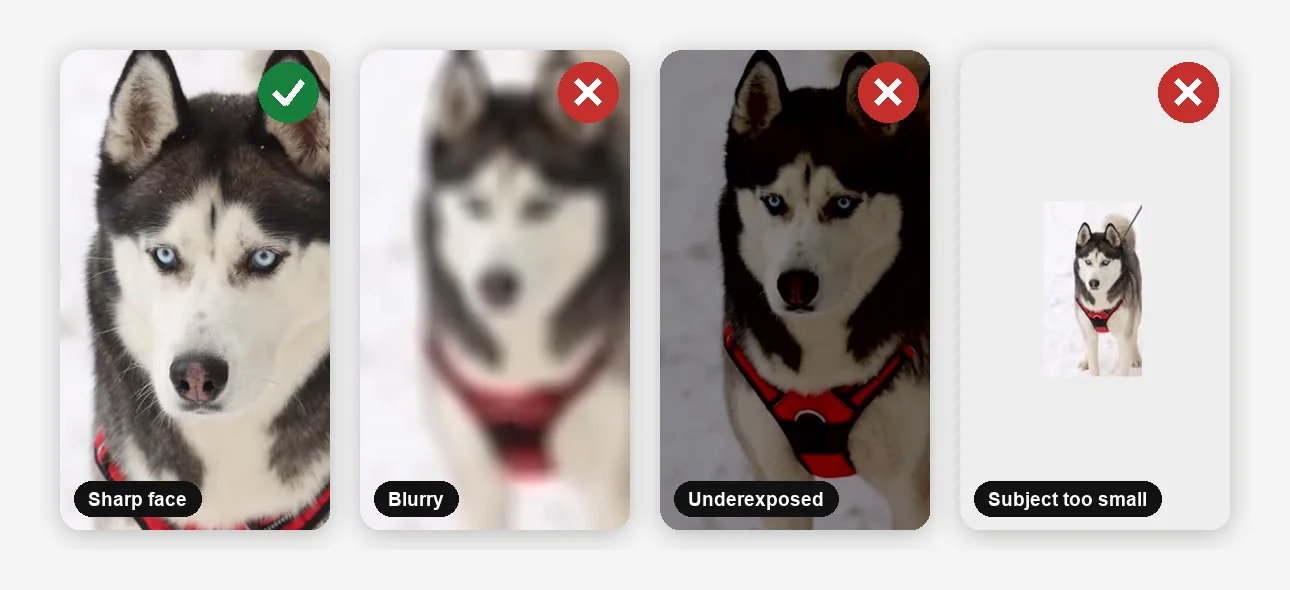
Same husky, four photos. Only the first gives the model everything it needs.
The 6-point checklist
- Sharp. No motion blur, no out-of-focus faces. Zoom in to check the eyes.
- Well lit. Even daylight from a window beats a dark room or harsh flash.
- Close enough. The subject should fill a good part of the frame, not be a dot in the distance.
- One subject. One person or one animal or one product per photo. Multi-photo templates ask for each in its own slot.
- Nothing in the way. No sunglasses, masks, hands over the face, or props blocking the subject.
- No heavy filters. Beauty filters and strong colour grades change faces and colours in ways that carry into the video.
Photos of people
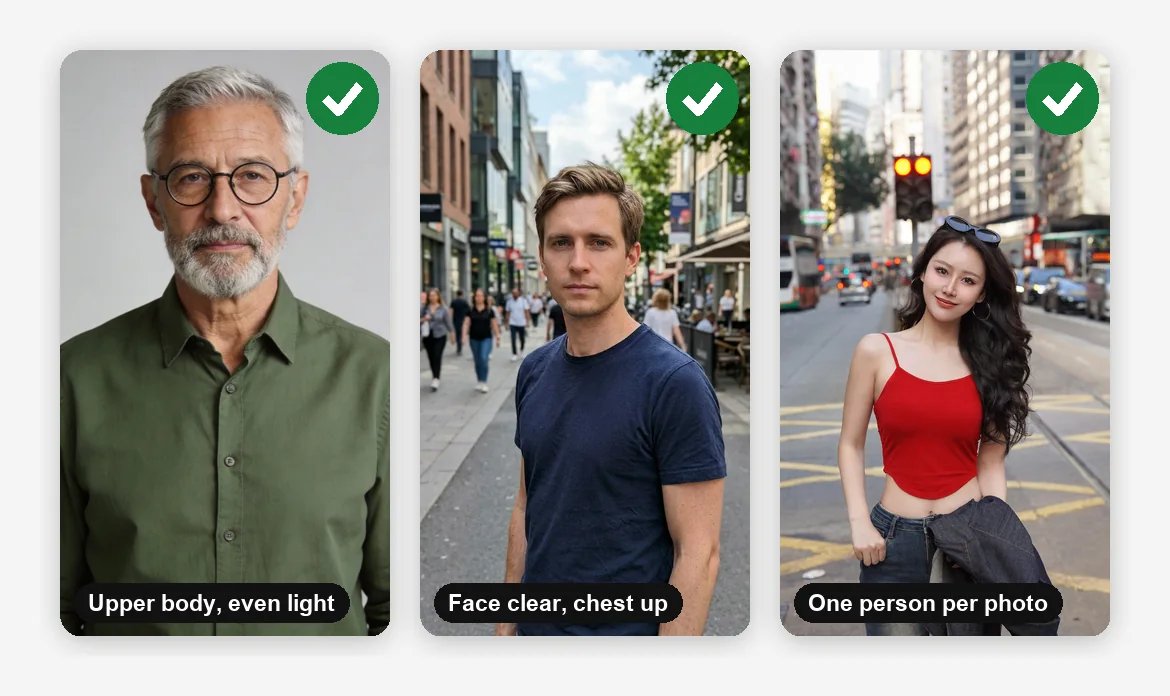
- One adult (18+) per photo, facing the camera
- Face clear, from the chest up at least; dance templates do better with the upper body visible
- Natural expression, simple background
- Vertical (9:16) photos with some space around the person are ideal
Permission matters. Only upload photos of yourself or of adults who agreed to appear in the video.
Templates that use portraits: Tiny Desk AI, Passenger Princess, Bby Wow, Gangnam Style Trio.
Photos of pets
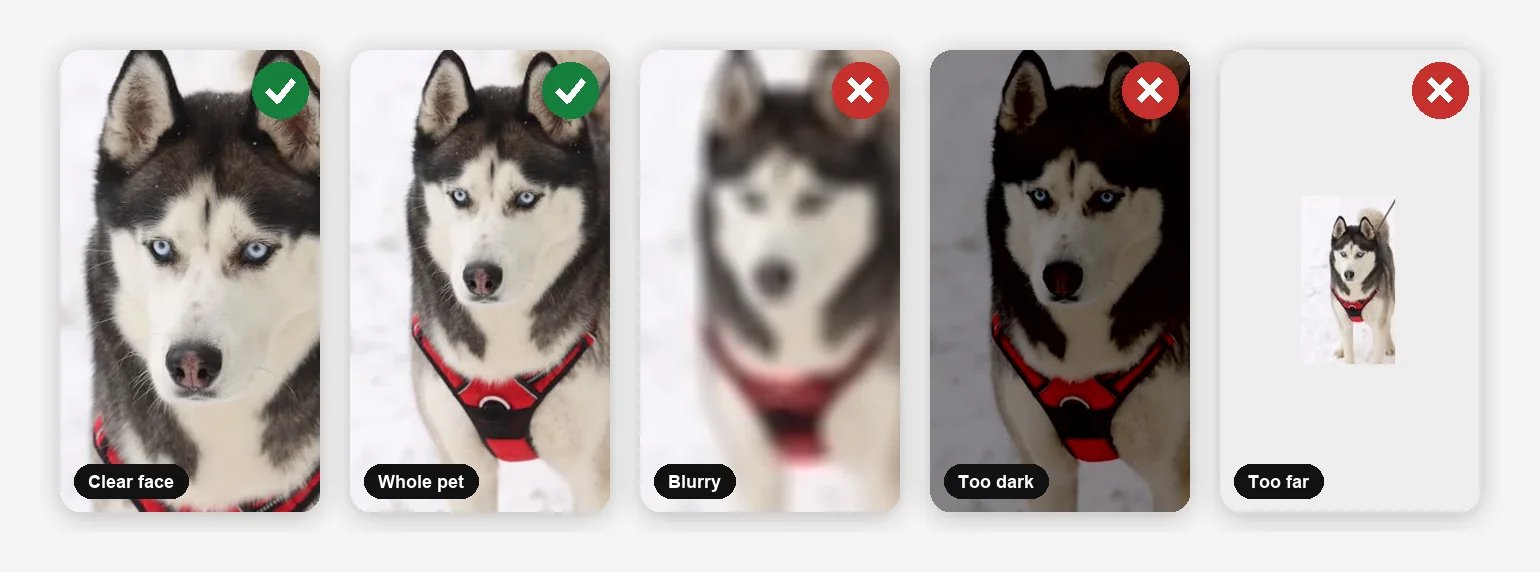
- The whole animal in view for dance templates; a clear face for portraits
- Eyes visible and in focus
- One animal per photo, no people
- Get down to your pet's eye level and shoot near a window
Templates that use pet photos: Bad Times Pet, Living Pet Portrait, the Pet versions of Bby Wow and Tiny Desk AI. Ideas: 6 AI pet videos from one photo.
Photos of products
- Exactly 9:16 for the product templates (e.g. 1080×1920), JPG or PNG under 10 MB
- Product centred and fully visible
- Plain background, even light
- Plain or simple labels; small text may change in the video
Guide: AI product videos from one photo.
File formats and sizes
| Requirement | Typical limit |
|---|---|
| Formats | JPG, PNG, WebP or HEIC; product and Living Pet Portrait templates ask for JPG or PNG |
| Size | Originals up to 30 MB are compressed automatically; some templates ask for under 10 MB |
| Resolution | Short side at least 512 px for portrait templates; over 300 px per side for Gangnam Style Trio |
Each template page lists its exact requirements under Which photo works best.
Quick fixes before you upload
- Too dark? Retake by a window instead of brightening in an editor; brightening adds noise.
- Too far? Crop in so the subject fills the frame, but keep the head and shoulders whole.
- Wrong shape? Crop to 9:16 vertical, leaving a little space around the subject.
- Group photo? Crop out one person per photo, or use a template with several photo slots.
FAQ
Why does my AI video not look like me?
Usually the photo: a side angle, sunglasses, heavy filter, low light or a face that's too small. Use a sharp, front-facing photo in even light.
Can I use a selfie?
Yes, if the face is clear and not distorted by a very close wide-angle lens. Holding the phone a little further away helps.
Can I upload a photo with several people?
Use one person per photo. Templates with several people, like Gangnam Style Trio, have one slot per person.
Does a better photo cost more?
No. The price depends on the template, not the photo, and it is shown before you confirm. See pricing.