How to Make a Christmas Product Video With AI (From One Photo)
Turn one product photo into a 5-second Christmas ad with snow, lights and gift boxes. Photo tips, a 2026 holiday posting calendar, captions and cost.
The holiday season is when product videos pay off the most, and when you have the least time to make them. Booking a studio shoot in late November is rarely realistic for a small shop.
The good news: if you have one clean photo of your product, you can have a festive video ad in a few minutes. Here is how to do it with the AI Christmas Product Ad template on VecFrame, plus a posting calendar so each video lands at the right moment.
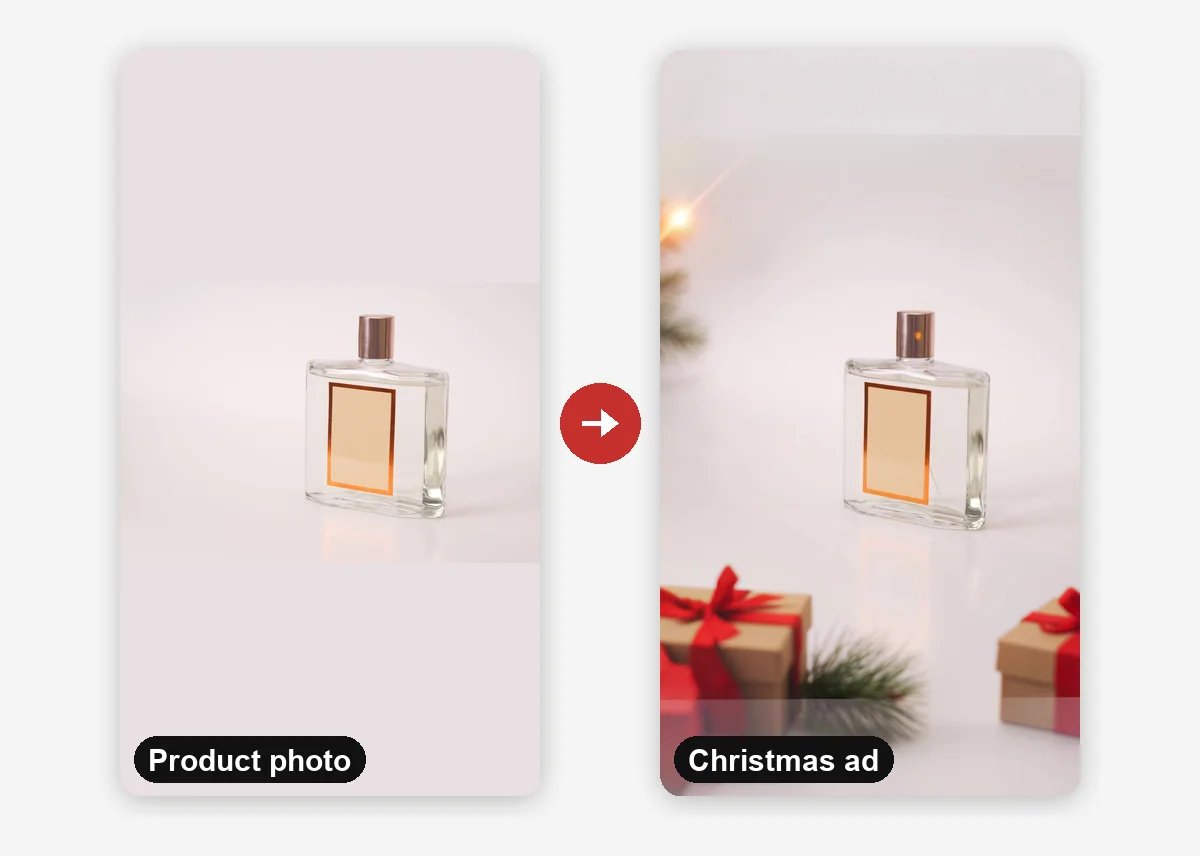
What you get
The template drops your product into a cosy Christmas commercial: falling snow, warm fairy lights and wrapped gift boxes around it. Your product keeps its shape and colours from the photo.
- Input: one product photo
- Output: 5 seconds, 1080p, 9:16 vertical MP4, sound included
- Cost: 20 credits
- Prompt: none. The template supplies the scene and camera move.
The vertical format fits TikTok, Instagram Reels, YouTube Shorts and Pinterest without cropping.
Step by step
- Open the Christmas Product Ad template and tap Use this template.
- Upload your product photo. A vertical 9:16 shot works best (see the tips below).
- Check the result before you pay. You can start with a free, watermarked preview without signing in. If you like it, unlock the original for the credit price shown.
- Download the video from My creations and post it.
Opening a template and seeing the quote never costs credits. If a generation fails for a technical reason, the credits come back.
Shooting the product photo
The photo decides most of the result. A phone is enough:
- Portrait orientation, 9:16. Leave space around the product so the scene has room for snow and gifts.
- One product, fully visible. Don't cut off the cap, handle or base.
- Plain background, even light. A sheet of white paper next to a window in daylight works well.
- Simple labels. Fine print may change in the video, so don't rely on small text being readable.
- No heavy filters. The template adds the warm holiday look for you.
Need more detail? Our photo checklist for AI video has good and bad examples side by side.
Your 2026 holiday posting calendar
Short-form videos need a few days to pick up views, so have each one ready before the date, not on it.
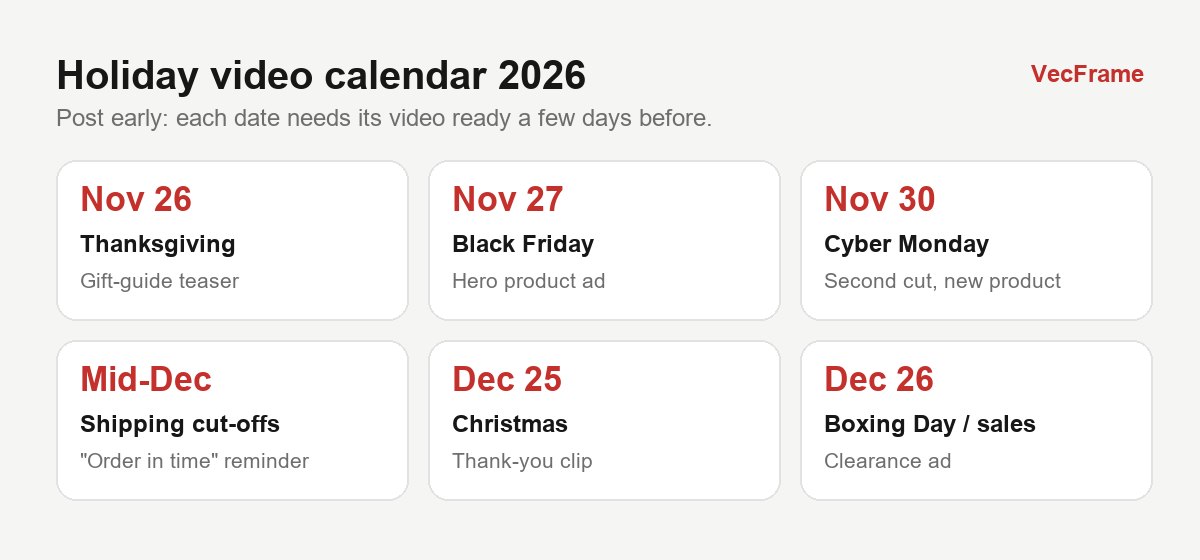
| Date | Moment | Video idea |
|---|---|---|
| Nov 26 | Thanksgiving | Gift-guide teaser: "Our top 3 gifts this year" |
| Nov 27 | Black Friday | Your hero product with the discount in the caption |
| Nov 30 | Cyber Monday | A second product, or the same one in a new style |
| Mid-Dec | Shipping cut-offs | "Order by … to get it before Christmas" |
| Dec 25 | Christmas Day | A short thank-you to your customers |
| Dec 26 | Boxing Day / sales | Clearance or gift-card ad |
At 20 credits a video, one of each is 120 credits in total.
Make more than one version
Holiday ads wear out fast. Two easy ways to get more variety from the same photo:
- Test styles. Make the same product in the Cinematic Product Close-up and the Soft Light Product Reveal as well. Same photo, same price, three different looks. Our product video guide compares them.
- Rotate products. One video per bestseller beats five videos of the same item.
Want a specific scene, such as a bottle on a snowy windowsill at night? Use image to video in the studio and describe it yourself. The text vs image to video guide has a prompt formula.
Caption ideas
The video carries the mood; the caption carries the offer. A few that work:
- "The gift they'll actually use 🎁 Link in bio."
- "Last call for Christmas delivery: order by [date]."
- "Black Friday: [X]% off, today only."
- "Wrapped and ready. Free gift note with every order."
Put the price or the deadline in the first line. Most viewers never tap "more".
FAQ
How much does a Christmas product video cost?
20 credits for a 5-second, 1080p vertical video. The smallest credit pack on the pricing page is $2.99 for 40 credits, enough for two videos, and those credits never expire.
Can I try it for free first?
Yes. On the template page you can generate a free preview with a watermark, without signing in. You pay only if you want the original.
Will my logo and label stay sharp?
Shapes and colours hold up well. Fine print and small text may change, so use a photo where the product reads well without them.
Can I use the video in paid ads?
That depends on the rights to your photo and any brand material in it. Paying credits doesn't grant third-party rights; see the Terms of Service.
Does it work for clothing or large items?
It works best for one compact product you can photograph whole, such as a bottle, candle, mug, gadget or box. Large furniture or worn clothing may not fit the tabletop scene.